

Content
font name
Sarah Chen
Vrah is built for teams who want more than fast AI outputs. It helps you think through your product, structure it properly, and refine every step from idea to design handoff—without losing context or control.
Start Free — Build Your First Product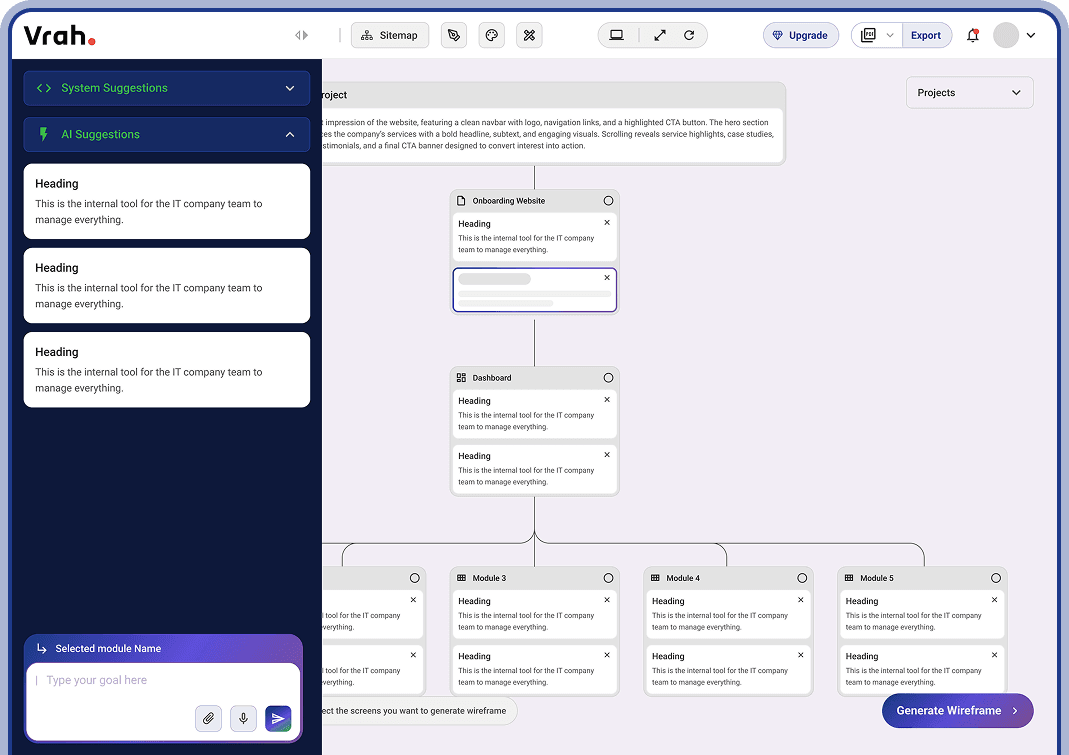
Clear inputs lead to better structure, fewer revisions, and production-ready outcomes.


Describe your product and choose your path. Select Planning e step-by-step through questions, suggestions, and a structured PRD or Building to jump straight into the Final UI.
Vrah asks smart, context-aware questions to Clarify your problem, users, and goals.
Based on your answers, Vrah identifies Opportunities to improve clarity and structure.
PRDs that grow with your product — structured, editable, and always connected to what comes next.
Designed for clarity, not static documentation.
Share a short description of your idea.
Vrah Helps You Clearly Define Users, Roles, Goals, And Modules From The Start—So Your PRD Captures What The Product Is And Who It's For, Without Confusion.
Start FreeVisualize how your product is organized before designing screens or writing code. Vrah converts your PRD into a logical sitemap you can refine as the product evolves.
Uses your existing PRD and sitemap data to recommend components that naturally fit your product.
Describe what you want, and AI will generate new component ideas based on your requirements.
Move from ideas to layouts without starting from scratch. Vrah turns flows and requirements into wireframes that reflect real product logic.
Define the visual foundation once and let it scale across your product. Vrah helps you set up a design system that keeps every screen aligned.
Generate high-fidelity UI screens that stay true to your design system and product structure—ready for review, prototyping, and export.
Your product doesn't stop at design.
Move from validated structure to real-world Execution Instantly.
Turn your structured UI into a fully clickable, navigable prototype in seconds. Test flows, validate interactions, and simulate real user journeys — all without leaving Vrah. Share with stakeholders to gather feedback before development begins.
Export structured screens, components, and layout hierarchy directly into Figma — clean, organized, and production-ready. Every section, module, and design token remains structured for easy collaboration and refinement.
Generate clean, structured frontend code aligned with your design system and layout architecture. No messy AI output — only organized, readable code ready for integration into real projects.